In short
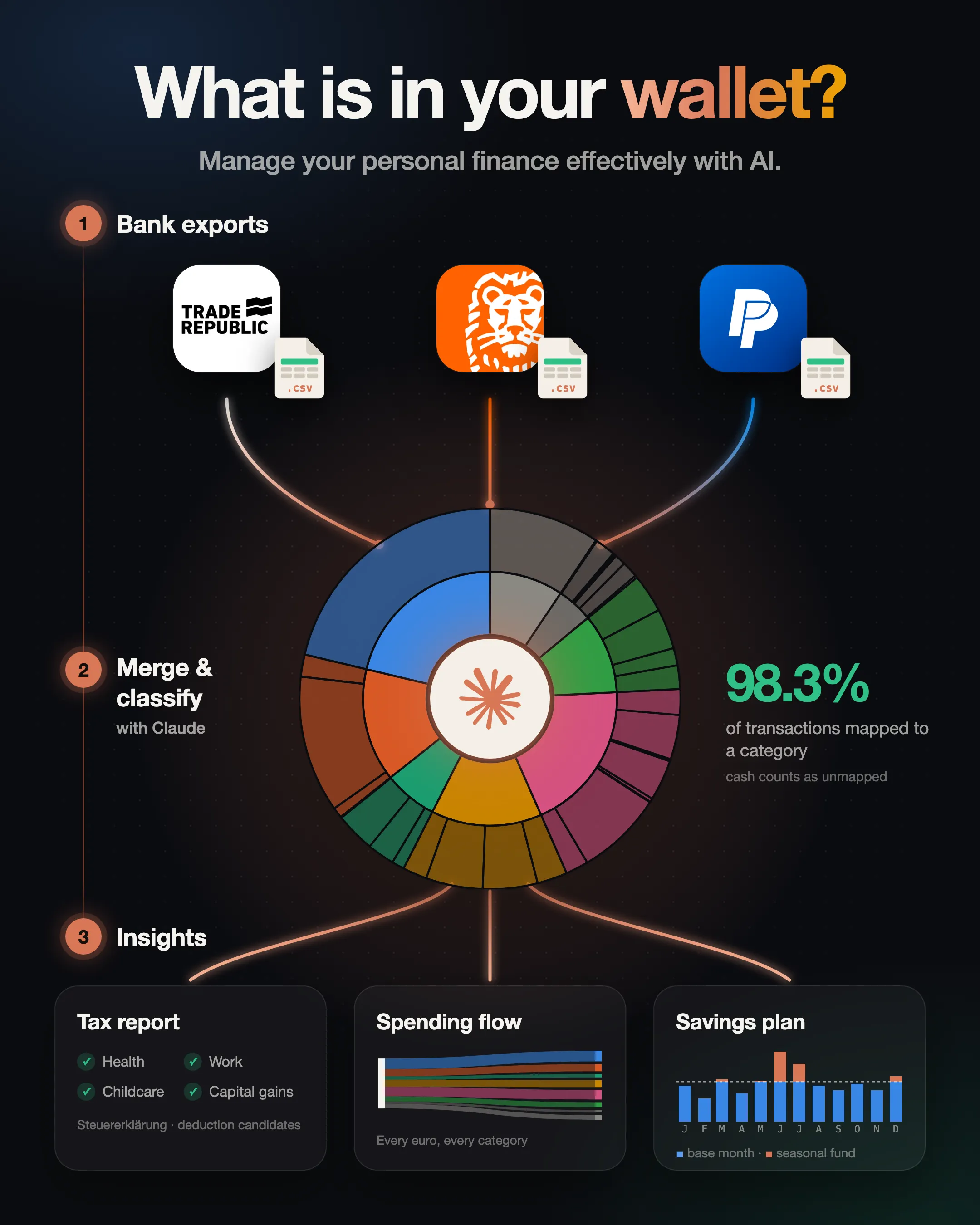
- Read: 2,655 transactions from three bank accounts and PayPal — merged, matched and classified by Claude.
- Found: 13 tax deductions, worth roughly €470 back for a typical list like the one below — most of them in the accounts I almost didn’t export.
- Next year: a Freistellungsauftrag at every bank, one account per job, an invoice for every work tool — and a monthly export instead of a yearly search.
- The real win: a complete overview of my finances — fixed costs, subscriptions, every euro — with no paid app and no manual data entry. Download the CSVs, run one command, done.
Tax paperwork is one of my least favourite chores in Germany. But every bank now lets you export your transactions as CSV — so everyone is sitting on a ready-made dataset. I handed a year of mine to Claude: classify every transaction, flag what could go into the tax return, and show me where the money actually goes.
Spoiler: the biggest lever for clarity was how my accounts are organised.
How to get the data
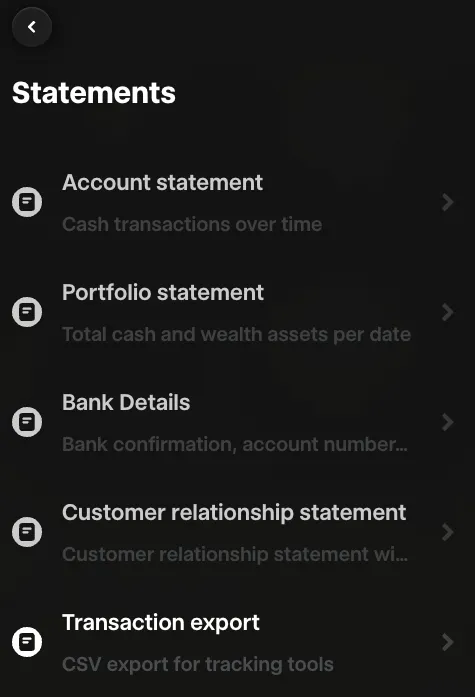
Export CSVs from every account for the period you care about. You only need date, amount and description — every bank has them. In Trade Republic: web version → Profile → Statements → Transaction export.
One catch: my other banks only show the last 12 months online. Keep your own history.
The prompt
You are my financial analyst. This folder contains CSV exports of my 2025 transactions
from all my bank accounts and PayPal.

1. Merge the exports, remove duplicates and transfers between my own accounts.
2. Classify every expense: groceries, eating out, coffee, car, travel, shopping,
   sport & health, subscriptions, other. Use MCC codes and merchant names and save
   the rules to a separate file I can edit.
3. Put everything you can't classify with confidence (cash, PayPal, transfers to people)
   into a file for manual labelling - I want to label per recipient, not per transaction.
4. My situation: <employed / freelance>, <married, joint return>, <children>, living in
   Germany. Find transactions with potential for my tax return (Werbungskosten,
   außergewöhnliche Belastungen, §35a, childcare, Anlage KAP) and explain the thresholds.
5. Build a Jupyter notebook with charts by month and by group; show the top receipts on hover.
6. Privacy: process the data with local scripts and show me only aggregates and
   pseudonyms - never names, IBANs or e-mails. Don't upload the data anywhere.

Make it repeatable every month.
I labelled by hand only what the rules couldn’t recognise — and only where the amounts mattered.
About the data: amounts are noised, dates rounded to the month, people and health details removed, only chain names shown. Proportions and trends are real. Investments are excluded.
Insight 1. Over a quarter of the money is in a blind spot
The widest view first: groups in the inner ring, categories and chains outside. Click a segment to drill down.
- 27% of spending is untracked: cash (9%), PayPal Später Zahlen (14%) and some noise. Cash stays a blind spot. PayPal doesn’t have to — the data just lives in another system.
- Coffee is 2% of spending — less than the fuel for my car (3%). The latte factor is not my problem.
- Food is 36% once you add up supermarkets, restaurants, coffee and the canteen — the biggest variable block.
Hypothesis: behind the 14% labelled “PayPal” there could be big purchases — maybe even something for the tax return. → Export PayPal.
Deep dive: what’s hiding behind PayPal Später Zahlen
In the bank statement every repayment looks the same — “PAYPAL *SPAETER ZAHLEN”: no merchant, a month after the purchase. PayPal’s own export has the merchant and often the item, so Claude matched the two tables.
It was almost trivial: 29 of 30 repayments matched a PayPal purchase to the cent — almost always exactly 31 days later. “Später zahlen” simply means “pay in 30 days”. One trap: in the PayPal export the repayments show up as payments to a “person” called PayPal (Europe) S.à r.l. et Cie, S.C.A. — without a filter they would have been counted twice.
- Almost 40% of the deferred money went to travel — a quarter to flights. I was buying flights on “pay in 30 days” without noticing. Another quarter went to clothing and mountain gear, 17% to the home.
- For your data, BNPL is the worst way to pay: it shifts every purchase by a month and hides the merchant.
- The invisible part shrank from 24% to 9% — only cash is left. “14% of my spending is PayPal” would have been a meaningless conclusion. Don’t stop at version 1.
Insight 2. The seasonality is the mountains
Each bar is a month, with PayPal already resolved. Hover for the top receipts.
- June is +75% above the average month, July +45%: accommodation and cash for mountain huts in June, clothing and gear in July.
- February is −42%, April −30%, November −21%. Two or three peaks pull the average up.
- The “average month” is a bad budget anchor. Plan a base month plus a seasonal fund and save for the peaks in advance.
Insight 3. Money sits in rare big tickets, attention in small ones
Each bubble is a chain or merchant type: how often I paid there (across), the average ticket (up), the yearly total (size).
- 38% of purchases are under €10 — and only 6% of the money. The top 10% of purchases are almost half of it. Don’t optimise the coffee; optimise the few big decisions a year: flights, gear, furniture.
- REWE vs ALDI — two behaviours. The REWE around the corner: ~150 visits a year at ~€20. ALDI: ~35 visits at ~€50 — a planned weekly shop. Frequent small visits mean impulse buys and pricier brands; moving the basic basket into the planned shop (or to “ja!” in the same REWE) is the easiest lever in groceries.
Plot twist: the deductions were in the accounts I didn’t export
At this point the tax part was already written in my head: nothing much here — medical bills, a few books. Then I followed my own advice and exported all my accounts: the salary account and a small second account, not just the broker card I use every day. Those banks only give you 12 months, so this part covers October to September.
The account I had analysed so far saw only 57% of my spending — and 1% of my fixed costs. Rent, insurance, phone, the AI subscriptions: all of it ran elsewhere. So did the tax candidates: nine out of ten euros (medical aside) never touched the account I started with.
This is the list Claude handed me — one line per item instead of a hundred transactions:
What made me go “wait, really?”
- AI subscriptions are work tools. ChatGPT and Claude come off my card like Netflix, but I use them for work — the work share is Werbungskosten. Keep the invoices.
- A laptop is written off in one year. Since 2021 computers and software count in full in the year you buy them — no depreciation table.
- Car insurance is half a deduction. Only the Haftpflicht part is Vorsorgeaufwand, not Kasko. The split is on the policy; the bank shows one number.
- A refund from the landlord is a tax document. A small transfer in January was the service-charge settlement. Caretaker, stairwell cleaning, garden on it → 20% of the labour share comes off the tax bill (§35a). Tenants too.
- My broker withheld tax it didn’t have to. A Freistellungsauftrag split across your banks (€1,000, €2,000 for couples) prevents it; Anlage KAP gets it back.
- Claude said no, too — even to my Alpine club. It’s a Verein, so I was sure. But sports-club fees are excluded from donations, and the included insurance isn’t priced separately (a donation to the hut fund would count). Also no: the gym via my employer, the automobile club, the garage bill (§35a only covers work in your home), and the ~2% FX fee my card adds to dollar subscriptions — not deductible, but avoidable with the right card.
The honest math: roughly €470 back for a list like this — a good hourly rate for one evening. Two things decide the number:
- Werbungskosten only count above the €1,230 allowance. The receipts alone barely clear it (≈ €70 back). Add home-office days at €6 each and the same receipts are worth ≈ €280. The receipts are the fuel, the home-office days are the spark.
- §35a is the quiet winner. It comes off the tax, not the income — a cleaner on a Minijob beats all the AI subscriptions together. Insurance usually adds nothing: for most employees the cap is already used up by health insurance.
Checklist for your return
Not in my list, but worth checking in yours:
- Medical costs. Dental work, glasses, prescription co-payments — only the part above the zumutbare Belastung (1–7% of income, tiered) counts, so in a year with a big bill, collect every receipt.
- Childcare. Kita, Tagesmutter, nanny: 80% of the costs, up to €4,800 per child. Contract or invoice, paid by transfer.
- Flat rates without receipts. Home office €6 a day (up to €1,260), commute €0.30/km (€0.38 from km 21), €16 account fees, 20% of phone and internet (max €20 a month).
- Haushaltsscheck. A cleaner or garden help on a Minijob, registered via the Minijob-Zentrale: 20% off the tax (up to €510 a year) — and they’re insured against accidents.
- Coaching. Career or leadership coaching is Werbungskosten when it’s about your job — keep the invoice with the topic on it. Life coaching stays private.
- LinkedIn Premium while job hunting is Bewerbungskosten, like application photos and trips to interviews.
- Crypto. No tax is withheld; a sale is taxable only within a year of buying.
Not tax advice. Thresholds are for 2025 — check ELSTER or a Steuerberater before filing.
What I’m taking with me
The refund is a few hundred euros. The bigger win is the map: where the money goes, where it hides, and which account sees what. And the biggest lever wasn’t another budgeting app — it was how the accounts are organised:
- One account, one job. Fixed costs, annual bills and everything for the kid in separate pockets with their own IBAN; the everyday card, emergency fund and ETFs at a broker that pays interest on cash. From 2027, when I go independent as a consultant, a business account with a tax reserve joins.
- Pay so the data stays visible. Card instead of cash, direct instead of pay-later; anything tax-relevant by transfer and with an invoice.
- Own your history. Export every account into one folder once a month — 12 months in online banking is not enough.
- Label as you go. A tax candidate confirmed in March doesn’t need to be remembered next May.
Next: an automatic monthly run — and at the end of 2026, my personal inflation.
Ten years ago this took four consultants. Today it’s a privacy question.
Ten years ago at PwC, four of us spent months on a large fund’s withholding-tax reclaims: documents in several languages, digitised by hand, searched line by line for money the fund was owed. Writing this post I realised I had just repeated that project on my own data — export, normalise, match sources, label, find refunds — in one evening.
For my own wallet, a cloud assistant is a trade-off I’m comfortable with, and I kept it tight: Claude saw what it needed to write the code — headers, samples, aggregates. The full history runs through local Python scripts, people become pseudonyms, reports are checked for names automatically, and the data in this post is noised.
For a company, that trade-off doesn’t hold. Client data, NDAs, professional secrecy, GDPR — this data doesn’t belong in a chat window. Two principles make it work anyway:
- The model builds, the pipeline runs. My final pipeline doesn’t call an LLM at all: Claude wrote the parsers, rules and reports, and the monthly run is plain Python on my laptop. Build on samples or synthetic data, run on the real data — locally.
- Where a model has to read the data — free-text documents, unknown counterparties — it comes to the data, not the other way round: an open-weights model on the company’s own hardware, or a cloud model under a data-processing agreement, depending on what the data protection officer signs off.
What took four consultants months is now a couple of weeks for one specialist with an LLM. That changes not just the speed but the economics: refund projects that only paid off for a big fund become worth doing for a mid-sized company.
Try it yourself
- Export the CSVs from all your accounts and PayPal — 10 minutes.
- Take the prompt above and fill in your situation.
- Tell me in the comments what you found: a surprising category, your own latte factor, a tax find. The best stories (anonymised) go into a follow-up.
For the next instalments — the monthly run, personal inflation, the new account setup — subscribe to the blog.
And if you recognised your company in the withholding-tax story — piles of documents, manual reconciliation, refunds nobody has time to find — get in touch. I’m happy to talk about automating it with LLMs, including setups where the data never leaves your building.